

Setting a Task as a Reference Standard
Project Admins (and above) have the ability to set a Ground Truth Task as a Reference Standard. To set a Ground Truth Task as a Reference Standard, simply click on the hamburger menu on the right hand side of the data page and select Set as reference standard.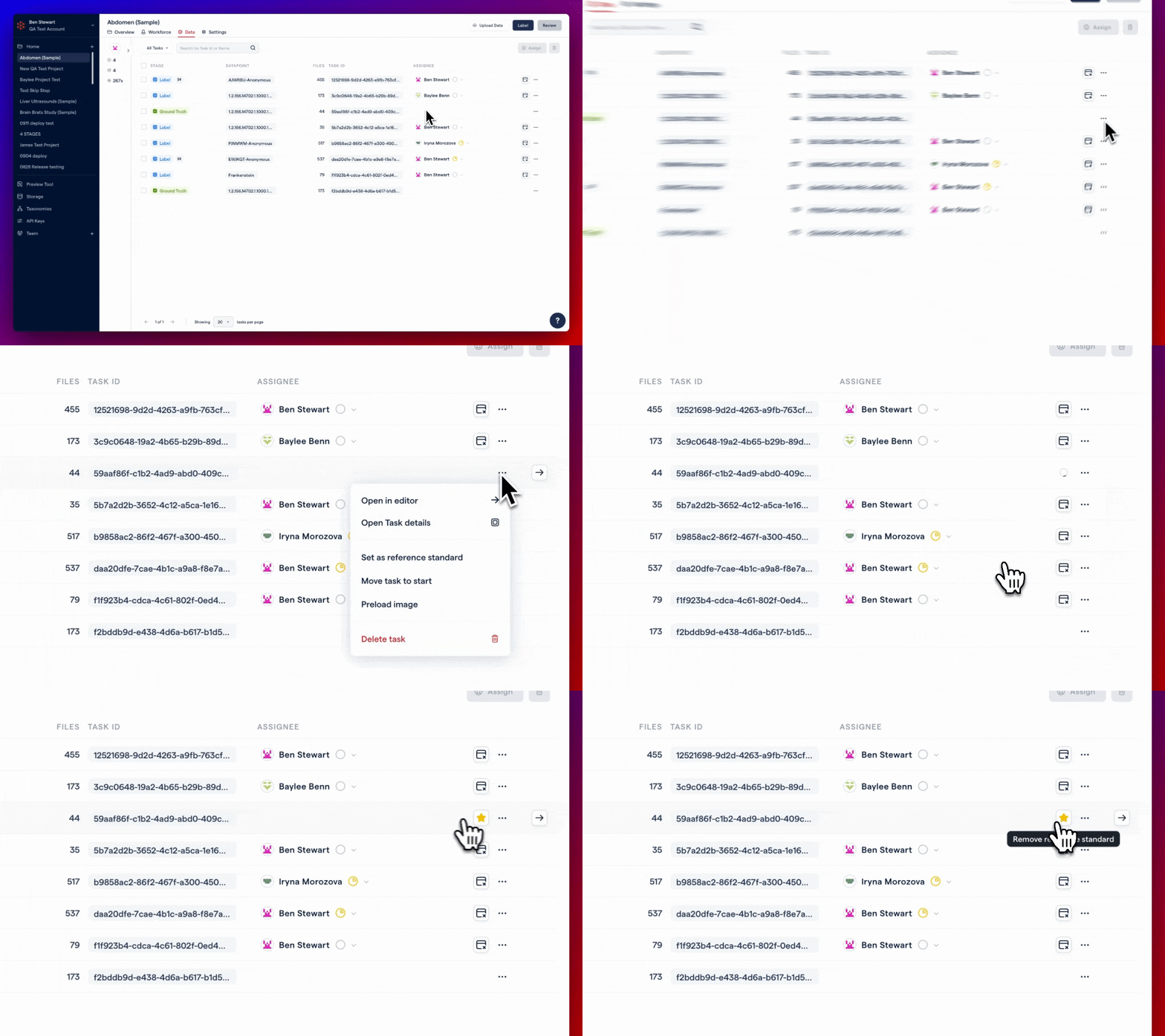
Setting a Ground Truth Task as a Reference Standard (Admin)
There are currently no SDK methods available to create, upload, or modify a Reference Standard. Be on the lookout for improvements coming soon!
Viewing a Reference Standard as a Project Member
To view a Reference Standard as a Project Member, simply filter your Task view by Reference Standards and click on Open in Editor.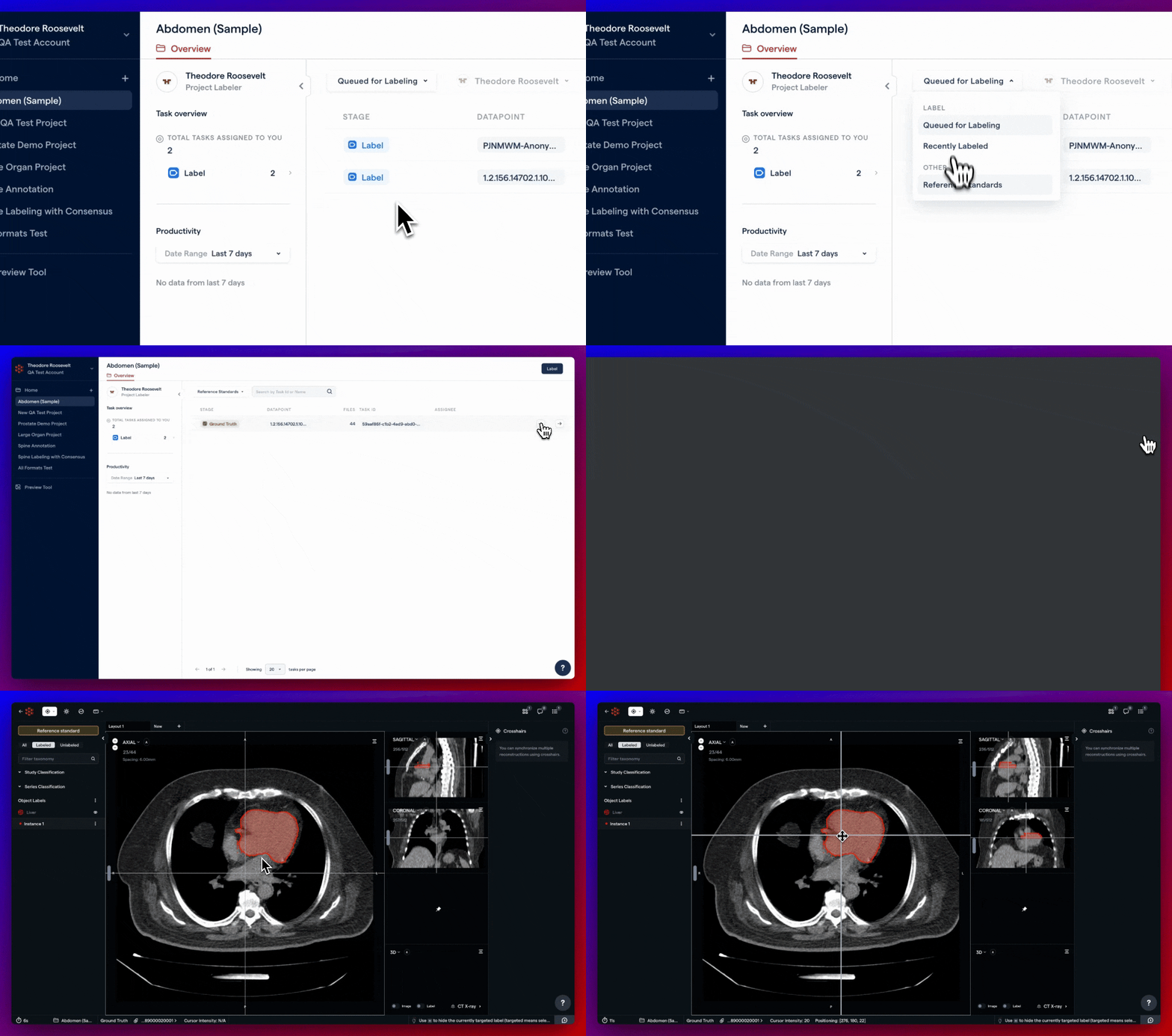
Viewing a Project's Reference Standards as a Labeler